A tracker that tells the truth about your time.
Click things, or type things.
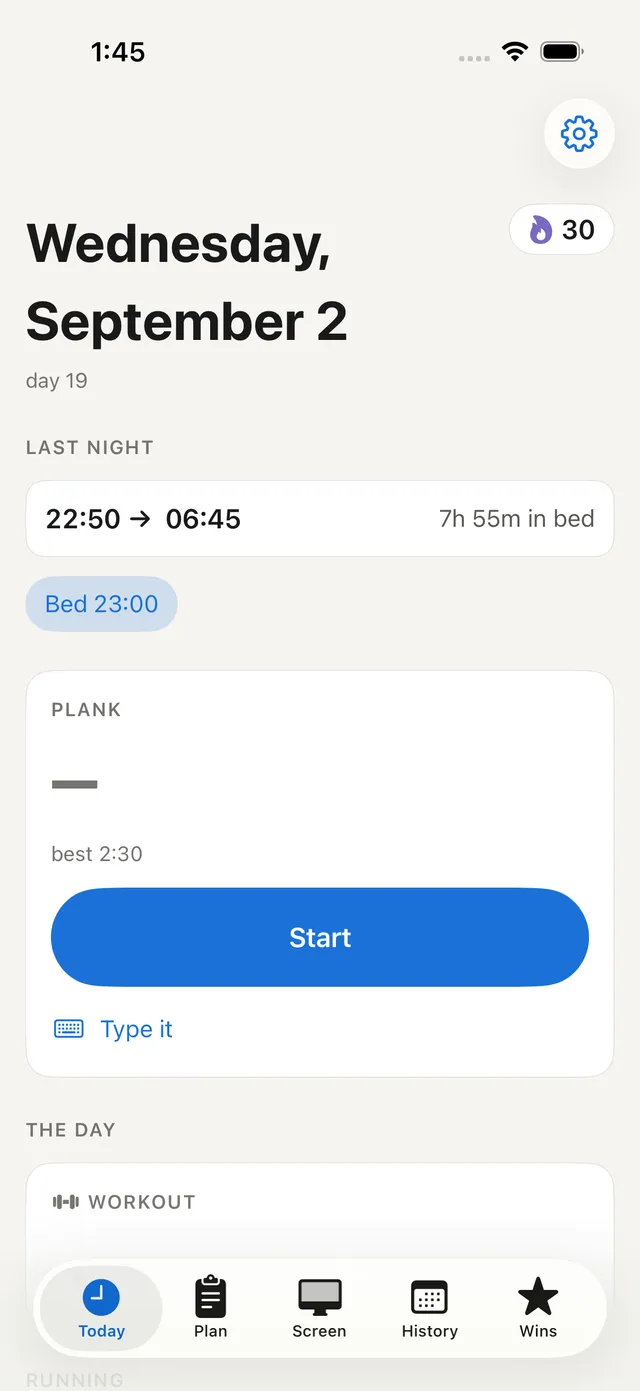
The app has six tabs — Today, Screen time, Plan, Kalender, Progress, Wins. The terminal has short commands for the same data. Both write to one file, so you can log a set from the keyboard and read the week back in the app.
The whole daily habit takes about ten seconds.
# right when you get up joh wake 8am # or 730, 19:15, 7.30 — it figures it out joh plank 95 # or run a live timer, press Enter when you drop joh workout push day # what you did — or "no" for a rest day joh sleep # heading to bed
Your day, your week, your wins.
Today
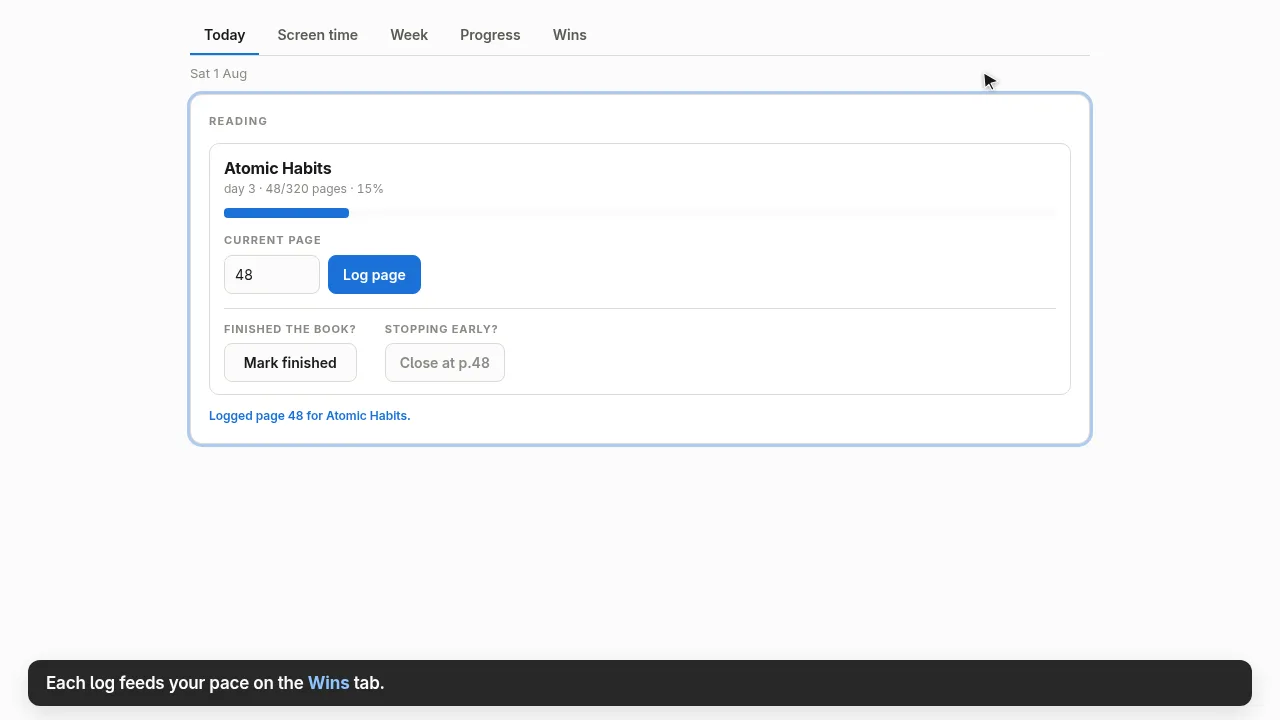
Wake and sleep, plank, workout, a session timer and today's screen time — plus the trackers that take a page, a unit or a score and turn it into a pace.
Screen time
Your day block by block, like phone screen time. Arrow through any past day; toggle Show every switch to see even the five-second ones.
Plan
A board you sort by hand. Everything you add lands in Unsorted; drag it down into Today, Medium or Low, or back up. Adding a todo starts its clock — dragging never touches that.
Kalender
The week as a time grid, 4am to 4am: todos in the left lane of each day, screen time in the right — so you can see what a stretch of work actually contained.
Progress
Streak, plank best, workouts, average wake, focus vs distraction — with a 12-week heatmap, stacked week bars, and how long things take you.
Wins
Completed goals with their full numbers — the rate, the elapsed days, and what the distraction actually cost — then everything else worth remembering.
Two hours working, or two hours open?
A background service samples the focused window every five seconds and records the app, the window title, a category, and how much you were actually typing and clicking. That's what separates real work from an editor left open in the background.
- //// typing hard — sustained typing
- ///. working — working, with pauses
- //.. scrolling — consuming, little typing
- /... just watching — barely touching it
Only input counts are stored — which keys you pressed is never read. Browser pages are tracked from the window title, so sites show up by name without touching your history, and what counts as a distraction is a plain list of rules you can edit.
Every second of a tracked day lands somewhere.
Once a day has any tracking at all, the gaps between screen blocks become offline time — the tracker already knows when you left and came back, so the day closes itself. Sleep is drawn from your own wake and sleep log, not guessed.
- screen — you were there and using it, by app and site
- offline — a real gap: away from the machine
- sleep — covered by your own wake/sleep log
- away — machine on, window focused, no input
- not tracked — a day the tracker never saw
A day nothing watched stays entirely untracked — never backfilled as offline, because that would claim you were away when the truth is that nothing was recording. Untracked days are excluded from every average.
What you meant to do, next to what you did.
Plan is a board you sort by hand. Everything you add lands in Unsorted at the top; drag it down into Today, Medium or Low, between them, or back up. Adding a todo starts its clock, so every row also says how long it has been running — dragging never touches that.
Kalender lays the week out as a time grid, 4am to 4am: todos in the left lane of each day, screen time in the right. The two lanes side by side are the point — you can see what a stretch of work actually contained.
What did it actually cost?
A goal is anything with a start and a finish — a book, a course, a project. Two friction points only: start and finish. Log a page, a unit or a score as you go, and the app works out your pace, your trend, and every check-in behind it.
When you finish, Wins shows the rate, the elapsed days, and what the distraction actually cost in your own units.
Focused is the sum of your timed sessions matching the goal's name. Distracted is all distraction tracked between the start and end dates — including the days you never touched the goal, because that time existed and went somewhere else.
A book 2026-03-08 → 2026-03-27 TOOK FOCUSED PAGES 20d 5h 16m 320 61 pages/hour · 16.0 pages/day Distracted in that window: 29h 54m That's 5.7× the time you gave the goal itself. At your own pace that was worth ~1812 more pages — about 5.7× this goal again.
Twelve weeks at a glance.
The long view: how consistent you have actually been, where the days went, whether distraction is trending up or down, and how long things take you. Every chart holds its exact numbers on hover — nothing is rounded away.
“Running” and “recording” are different questions.
The tracker once stayed perfectly healthy while recording nothing: it starts at login, the compositor wasn't up yet, and it never found a window to attribute time to. Four days went missing while the service reported itself fine.
So joh status answers the question that matters. It goes red when the last sample is more than ten minutes old — even with the process running happily — and tells you which of the two is wrong.
joh status tracker recording (pid 3241) last sample 4s ago joh # today at a glance joh timeline # every block of the day, in order joh week # last 7 days as a table joh report # full dashboard in the browser
One file. You own it.
Everything lives in a single SQLite file — four tables, no server, no account. Back it up by copying it, or open it with anything that reads SQLite. A day runs 4am to 4am, so a 1am session belongs to the day it started.
- App or terminal — same data, mix freely
- Unattended time never counts as screen time
- Offline gaps fill themselves from your wake and sleep log
- Nothing is uploaded, because there is nowhere to upload it
Honest note: history only accrues forward. Earlier days can't be reconstructed, because nothing recorded them at the time.
# build the app and put it on your path npm run install-app # start the tracker — auto-starts at login after systemctl --user enable --now joh-trackd joh status # is it recording, not just alive # then open the app joh-app # or search "joh" in your launcher
Stop guessing where the day went.
JohData is a personal tool, built for one user — you. It runs on your own machine, watches only your focused window, and keeps everything in a file you can copy, read, and delete.